# User Manual
| User Manual | Version | Compiler | Date |
|---|---|---|---|
| MRPlayer | V1.0.0 | Wang Jiale | 2025.08.08 |
# Deployment
# Server-side Plugin Installation
- Xuandao Smart Control => Server List => MRPlayer Plugin => Click to install
- If you need to control the power supply, install the PLC service plugin.
# Front-end Plugin Installation
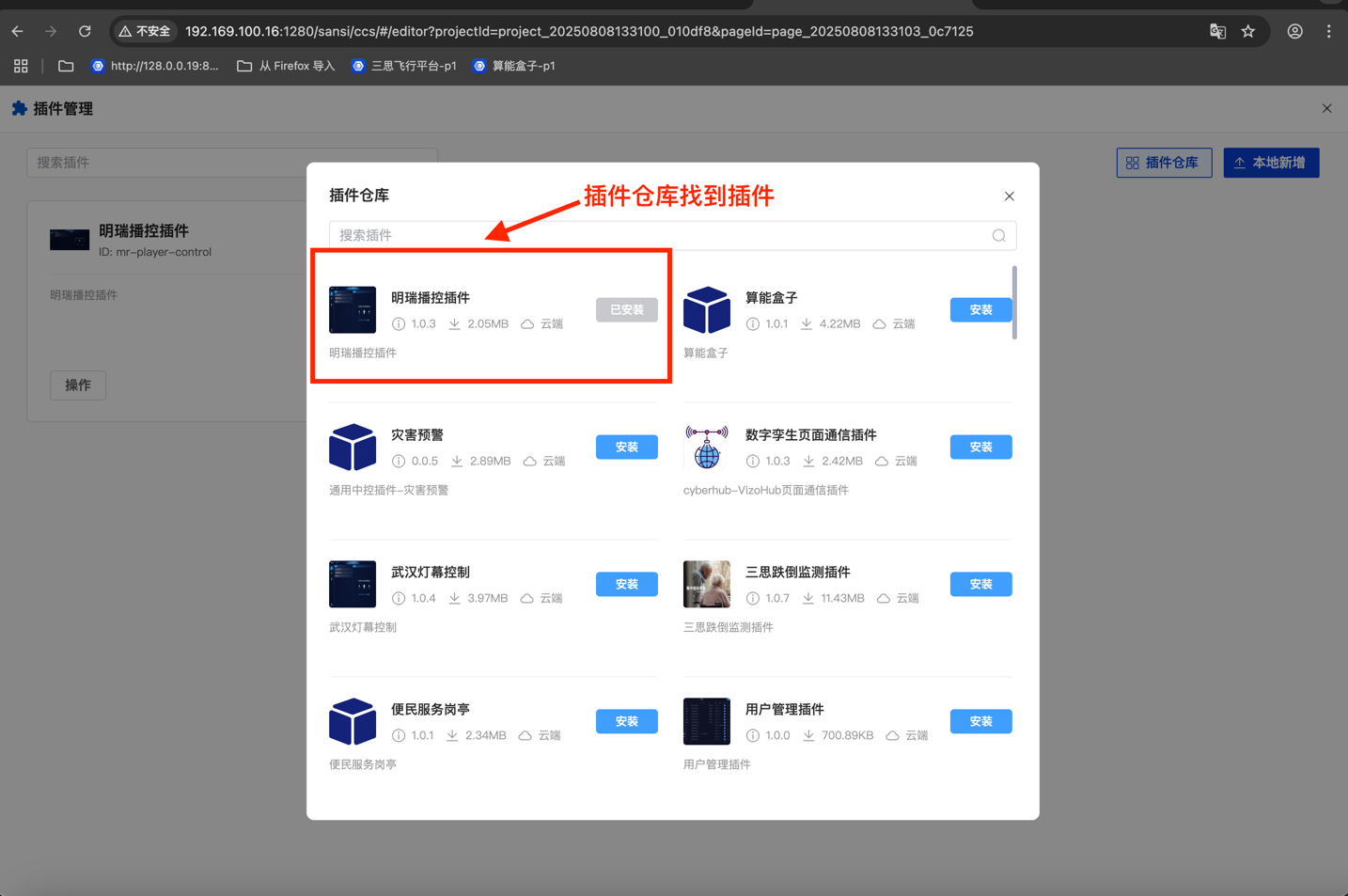
Xuandao Smart Control => Front-end Plugin Repository => MRPlayer Plugin => Click to install
# Add MRPlayer Component to Project
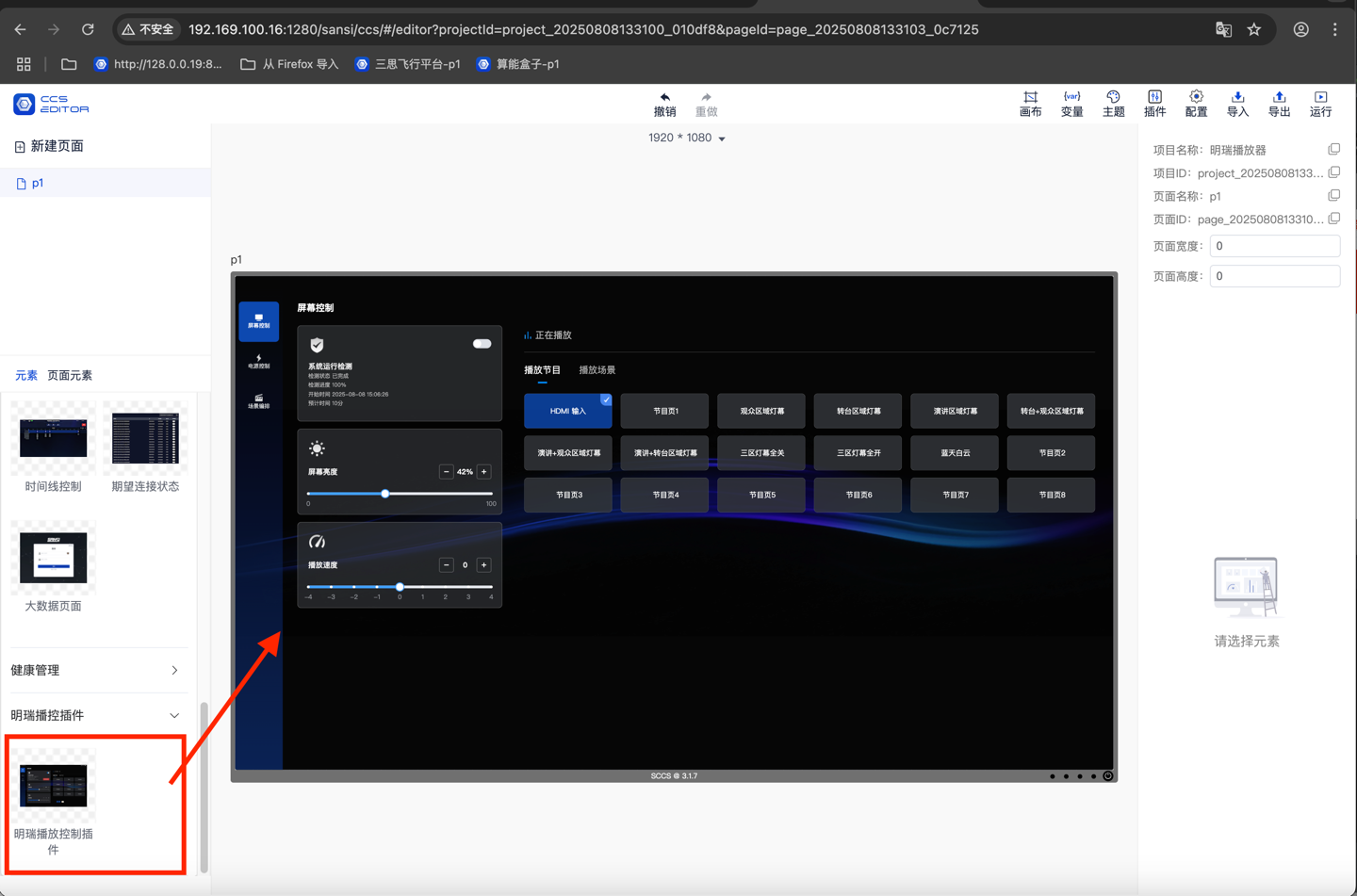
- Open the project.
- Locate the MRPlayer component bar.
- Drag the component into the project.
# Instructions for Use
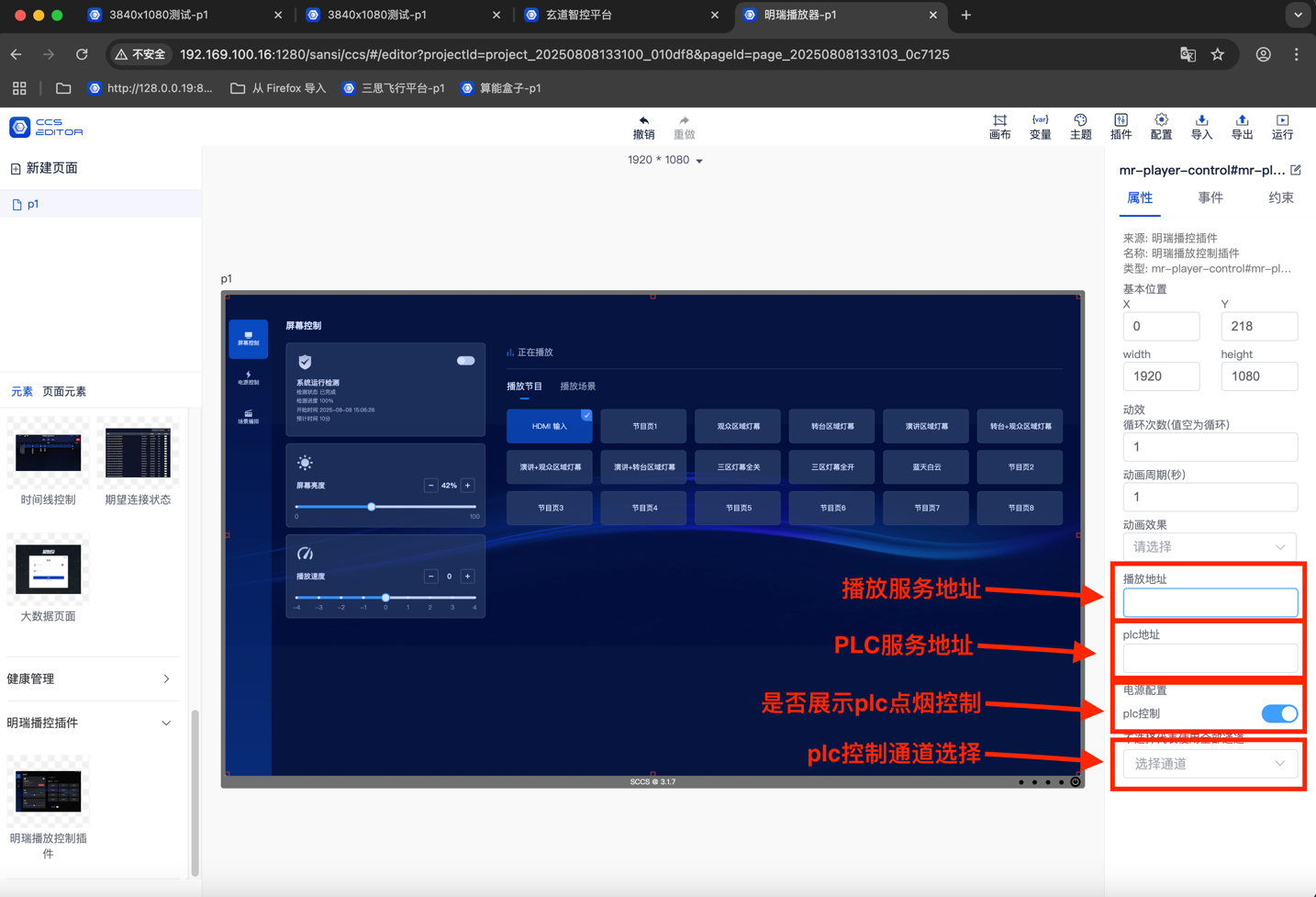
- Configuration Instructions
- Broadcast Control Service Component Address (Proxy is set by default, no need to fill in)
- PLC Service Address (Proxy is set by default, no need to fill in)
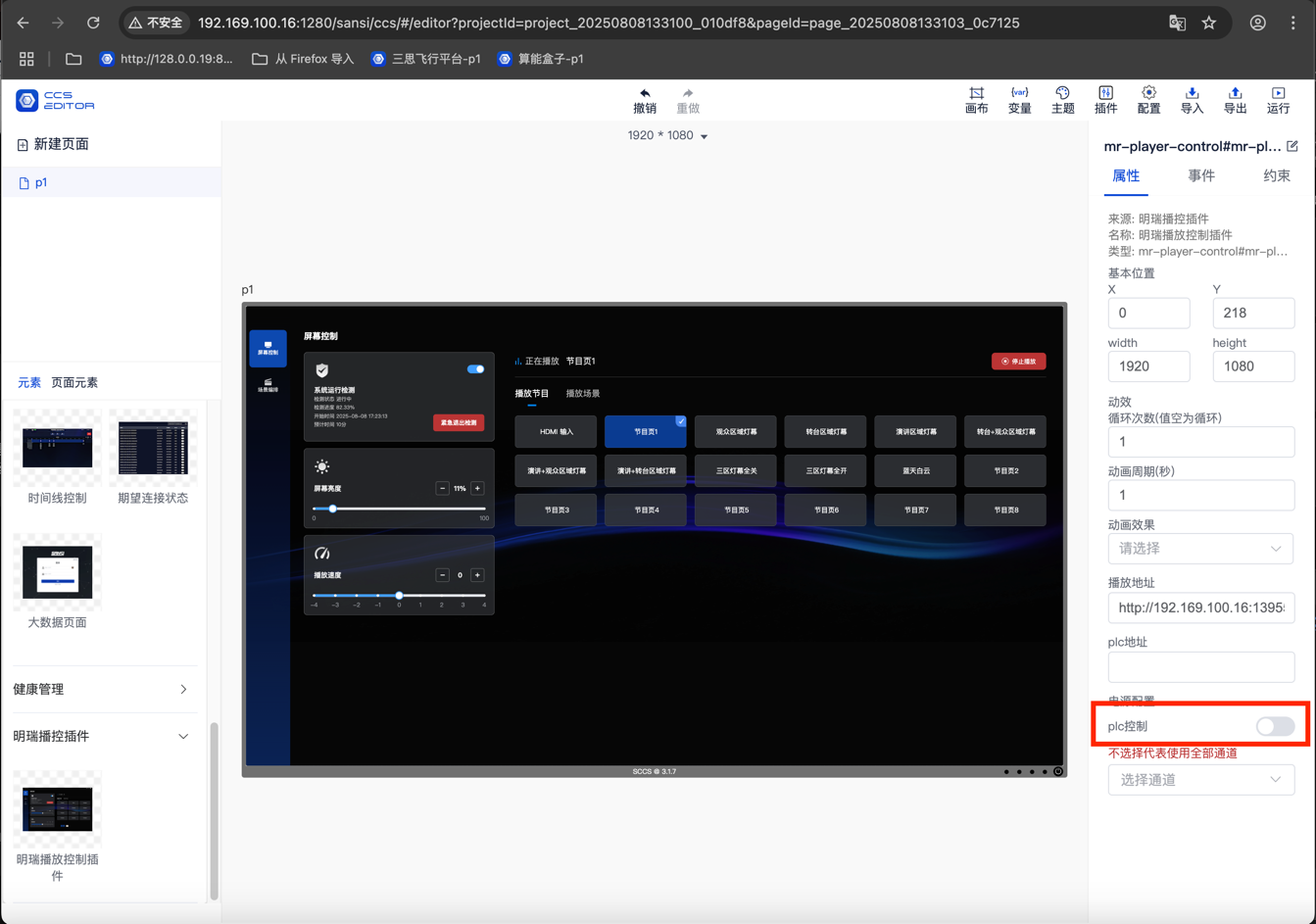
- The PLC service controls whether to display the power control interface.
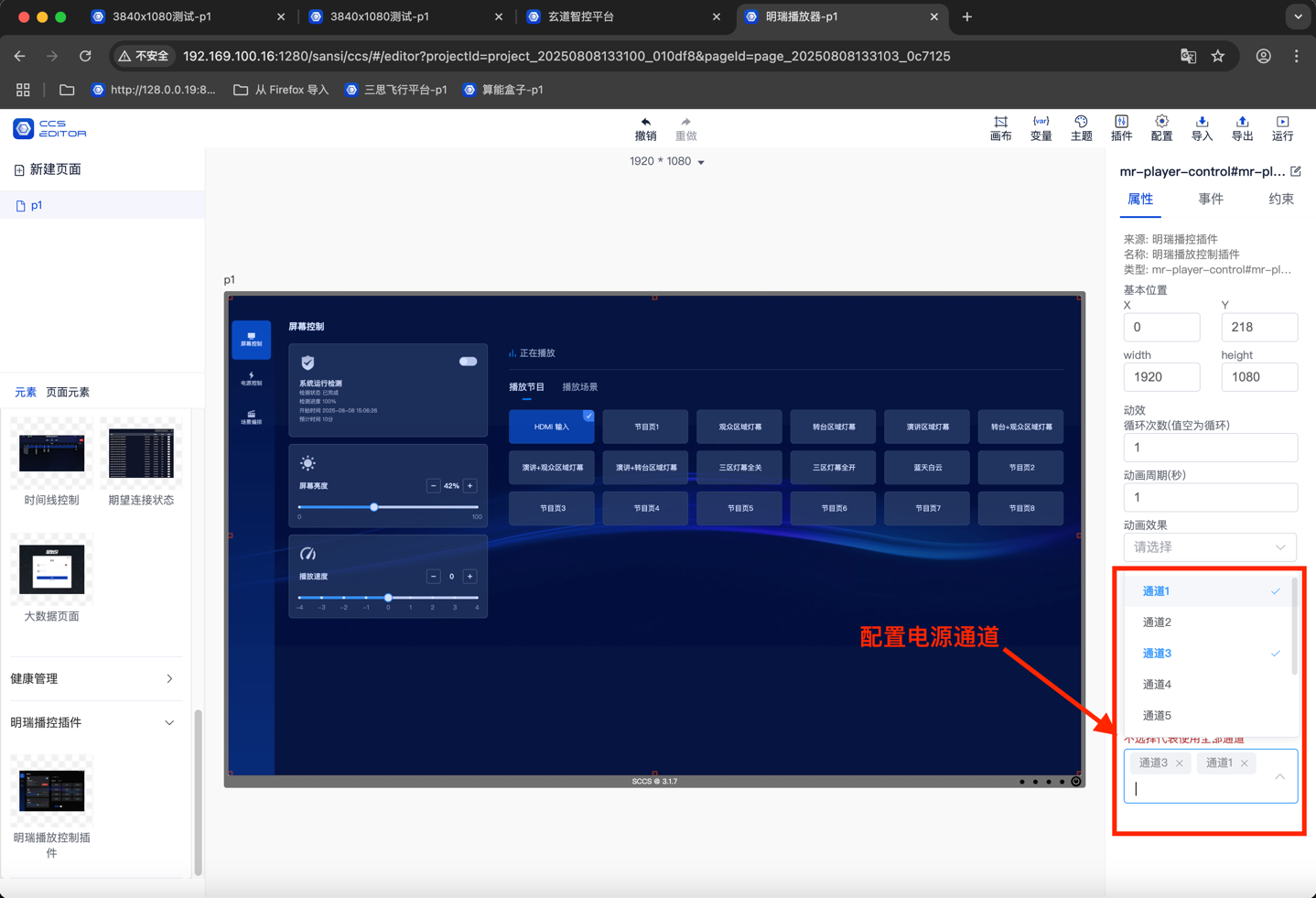
- Channel settings: Select which PLC channels to control the on/off of.
- You can choose to control the on/off of some channels.
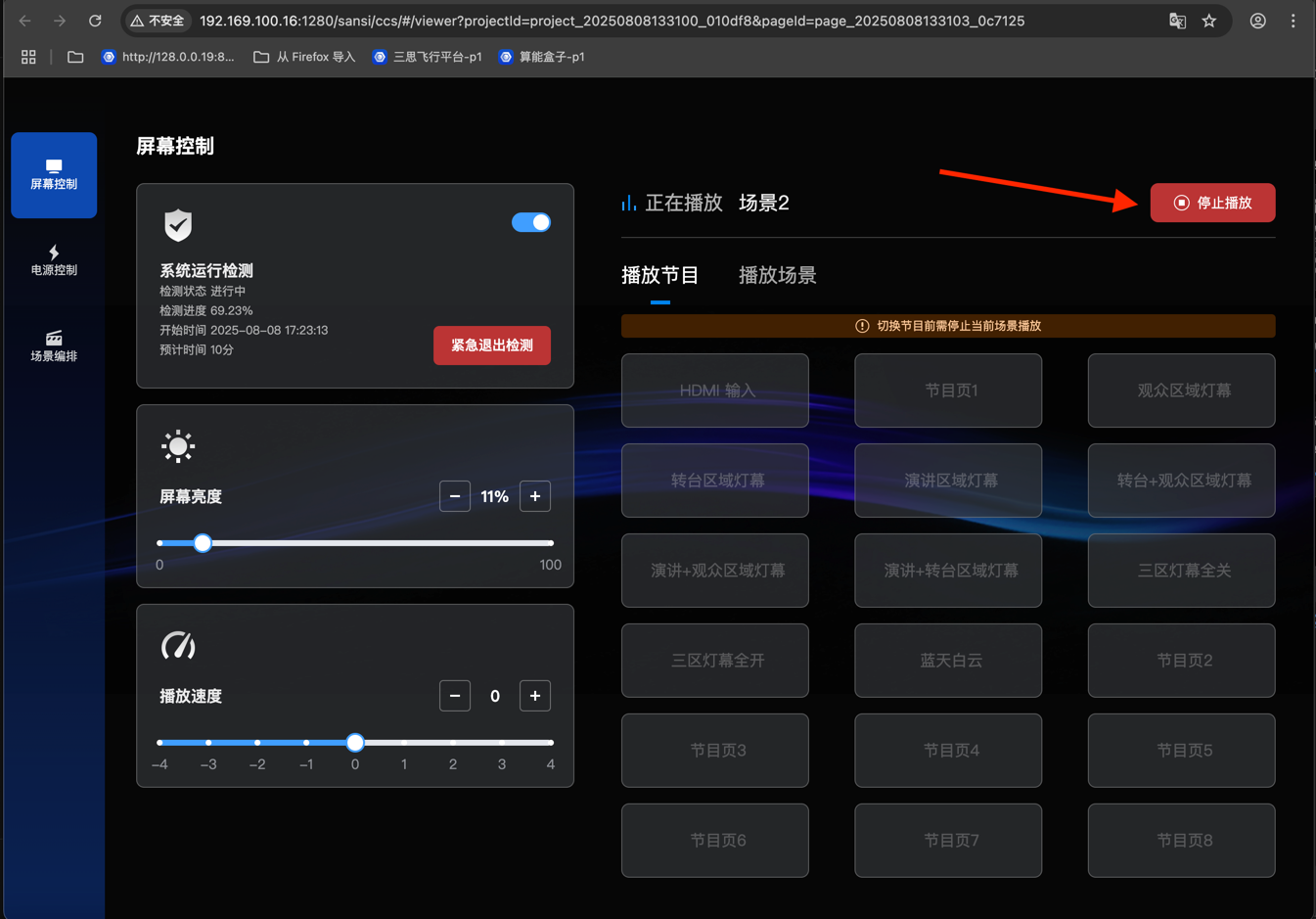
- Start Detection
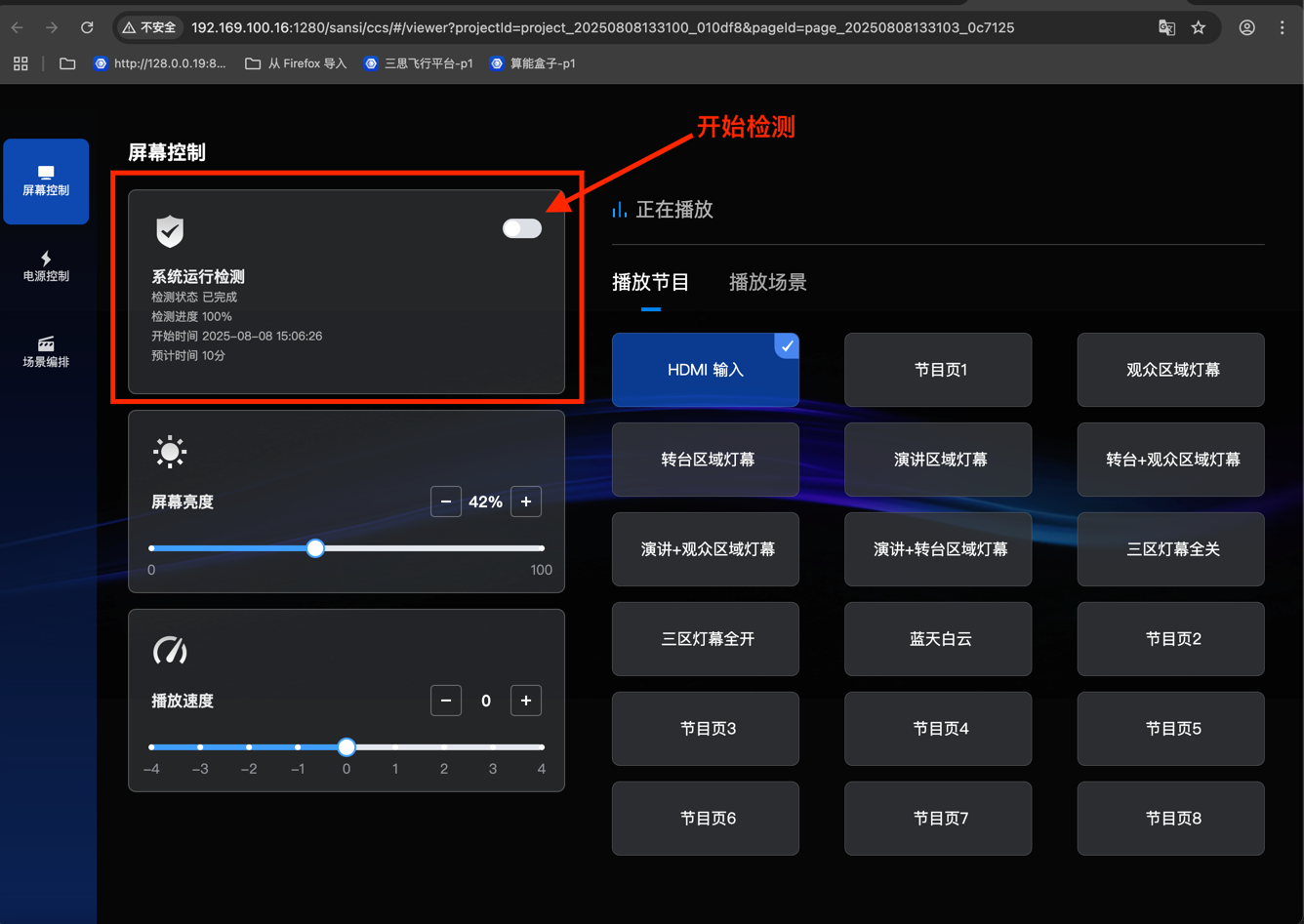
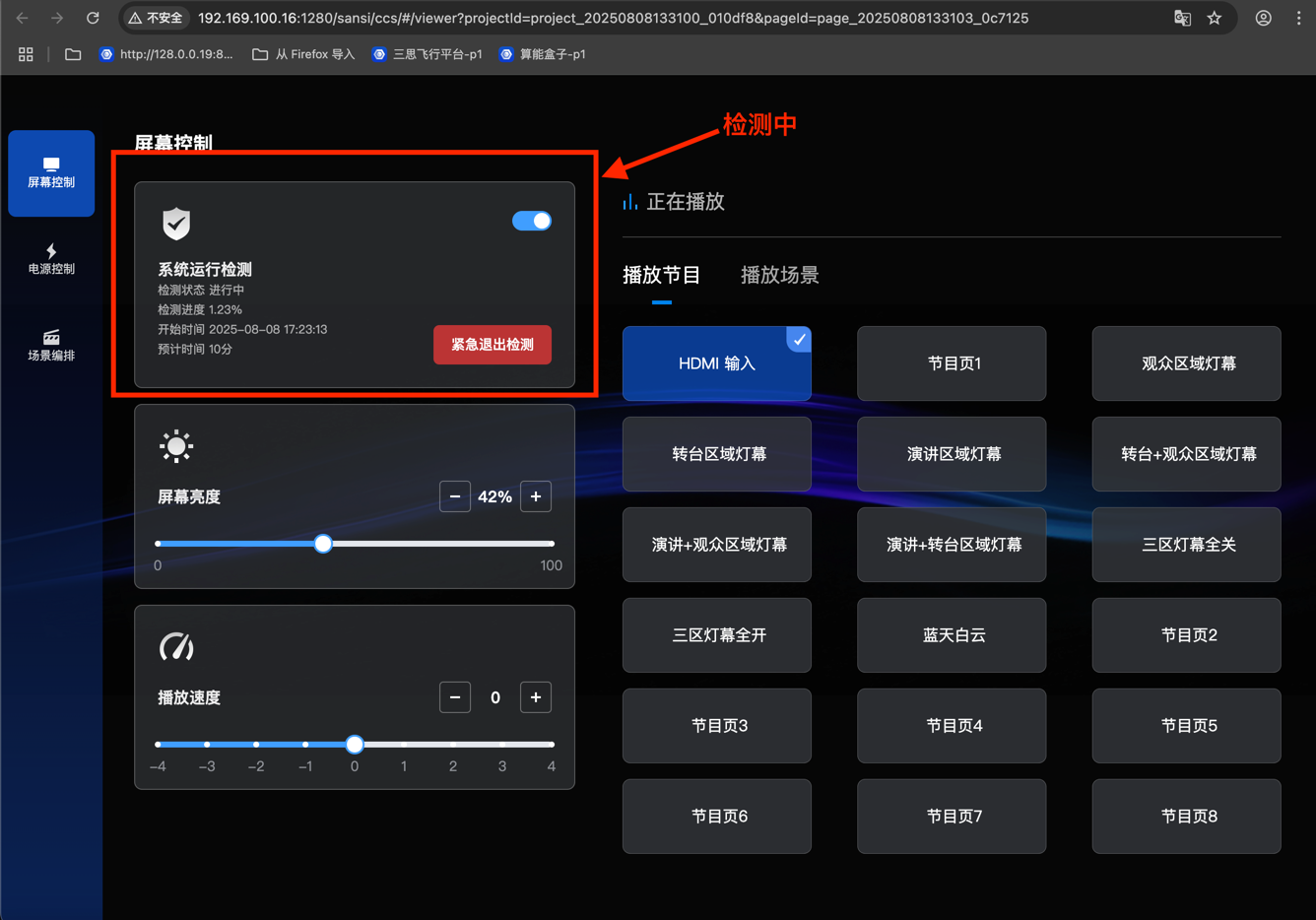
- Display During Detection
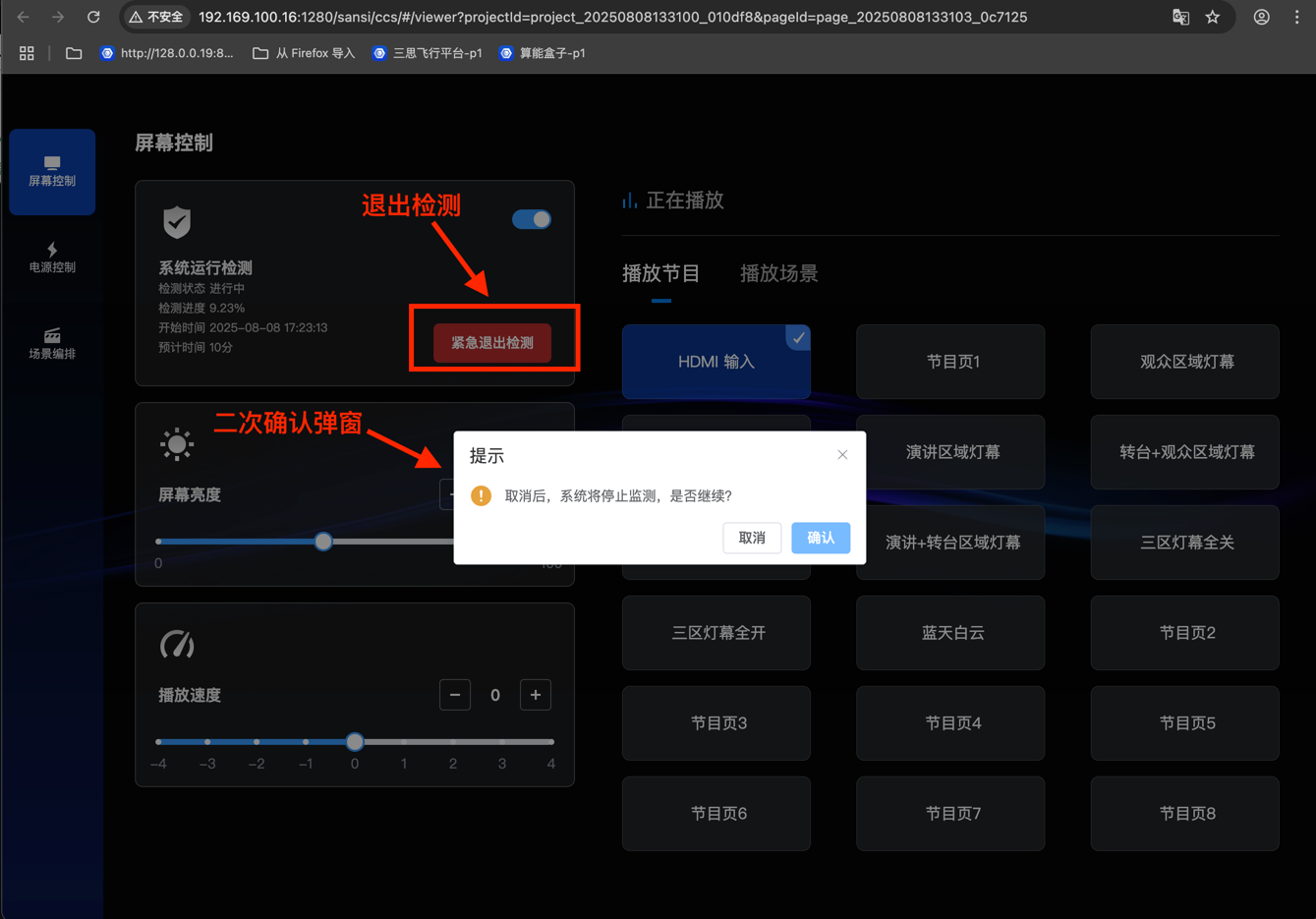
- Exit Detection
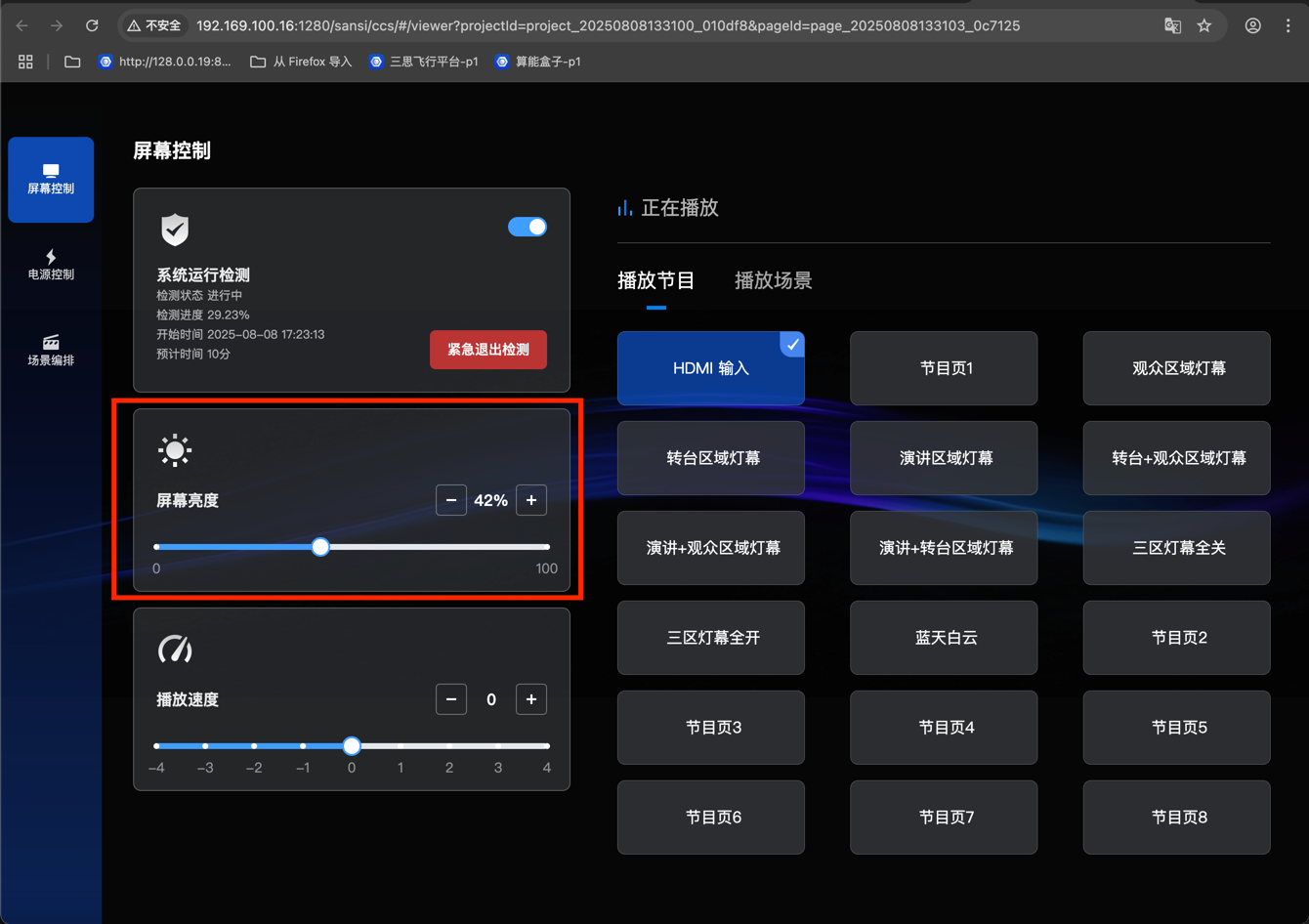
- Screen Brightness Control
- Playback Speed Control
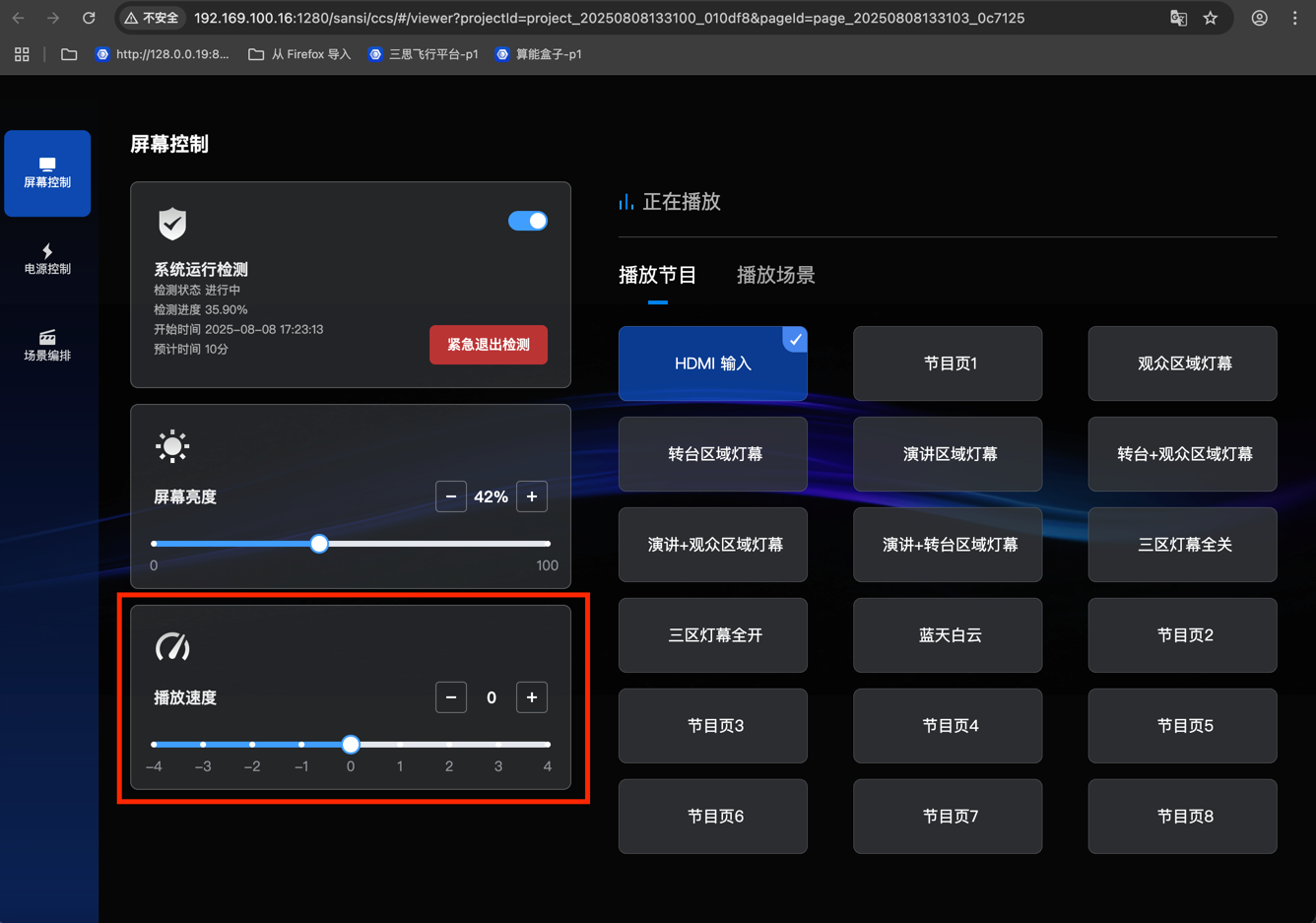
- Program Playback Control: Click on a program to play it.
- The HDMI input program is for switching the input source, not a real program.
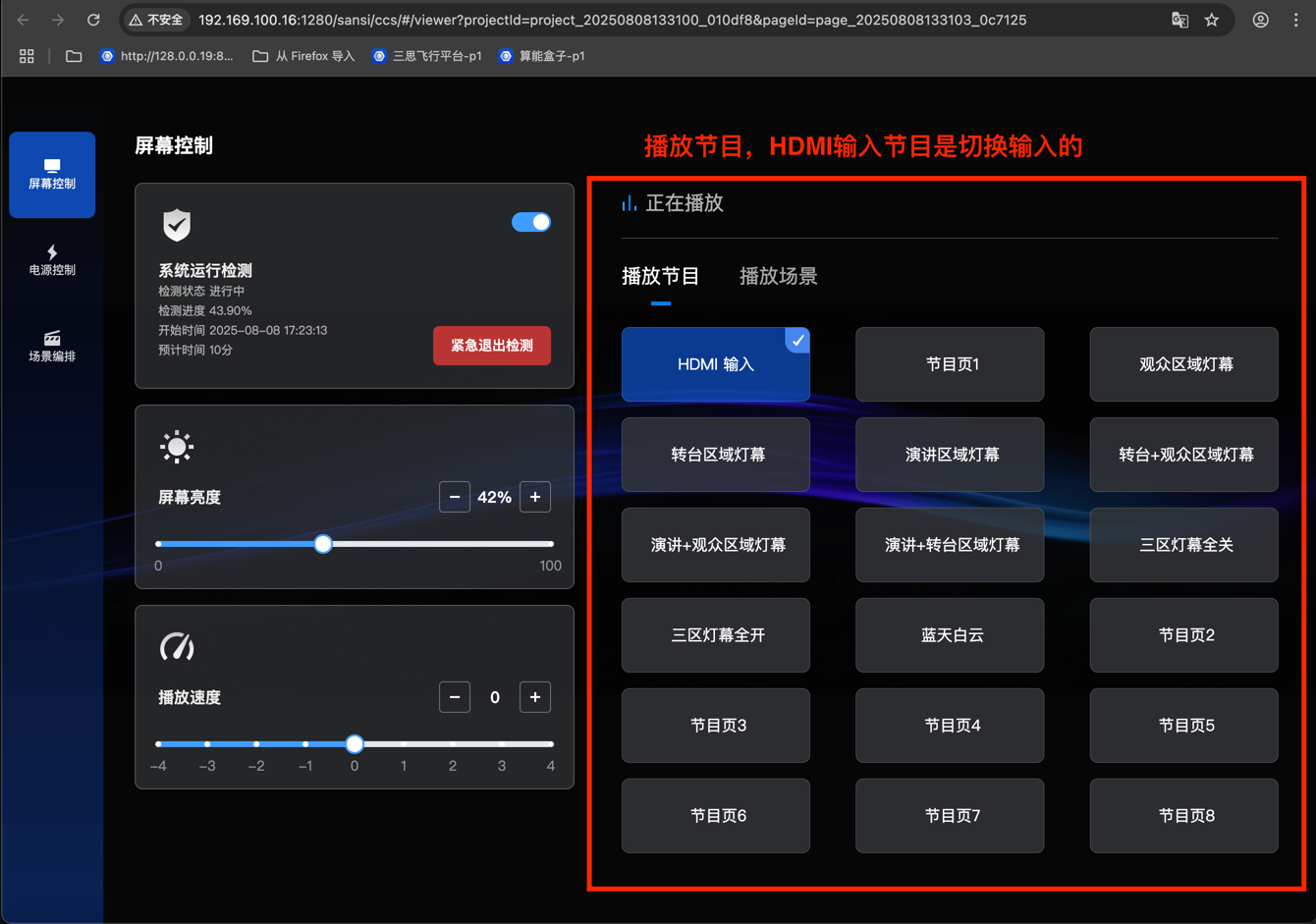
- The HDMI input program is for switching the input source, not a real program.
- Play Scenes
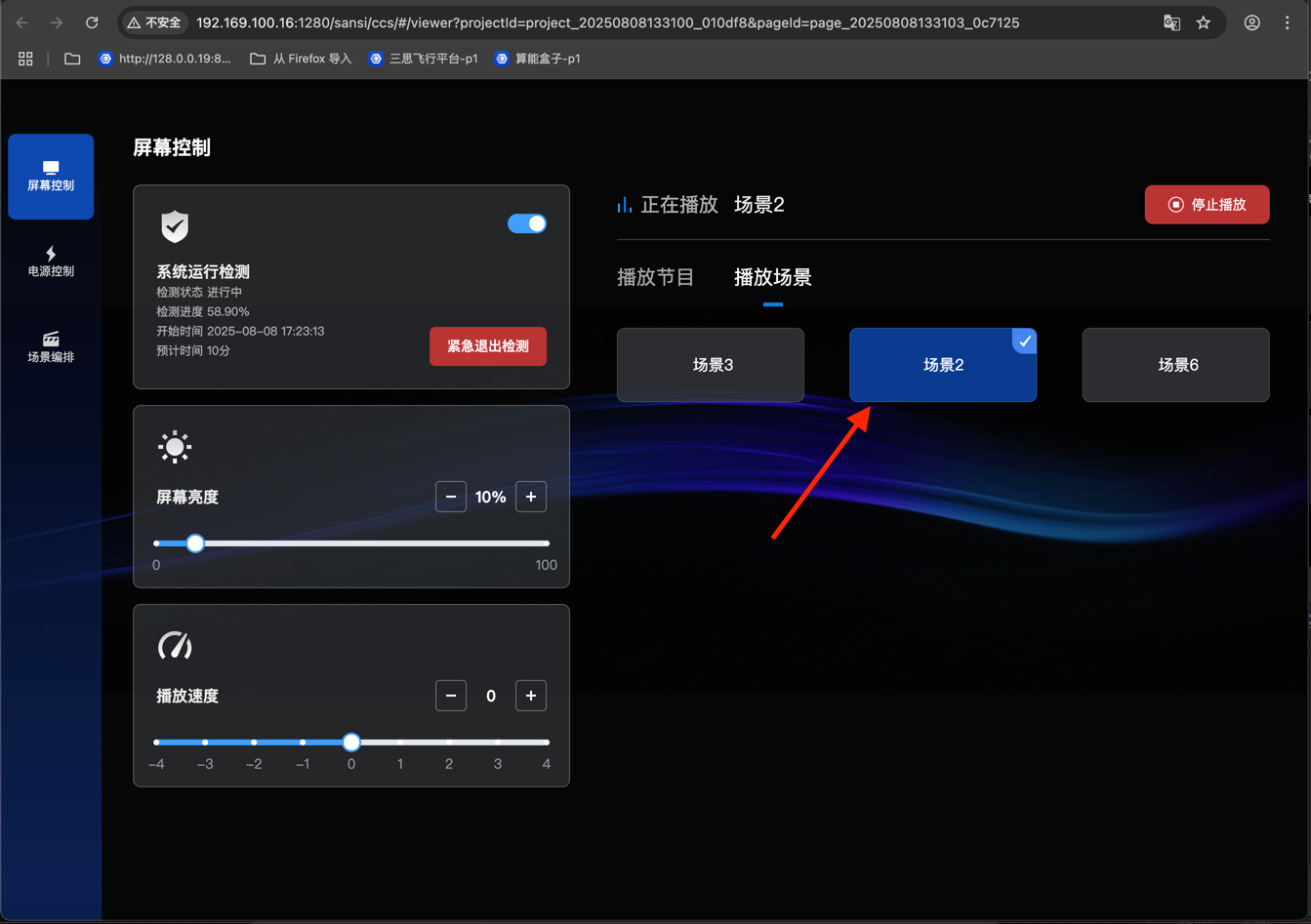
- Programs cannot be played while playing scenes.
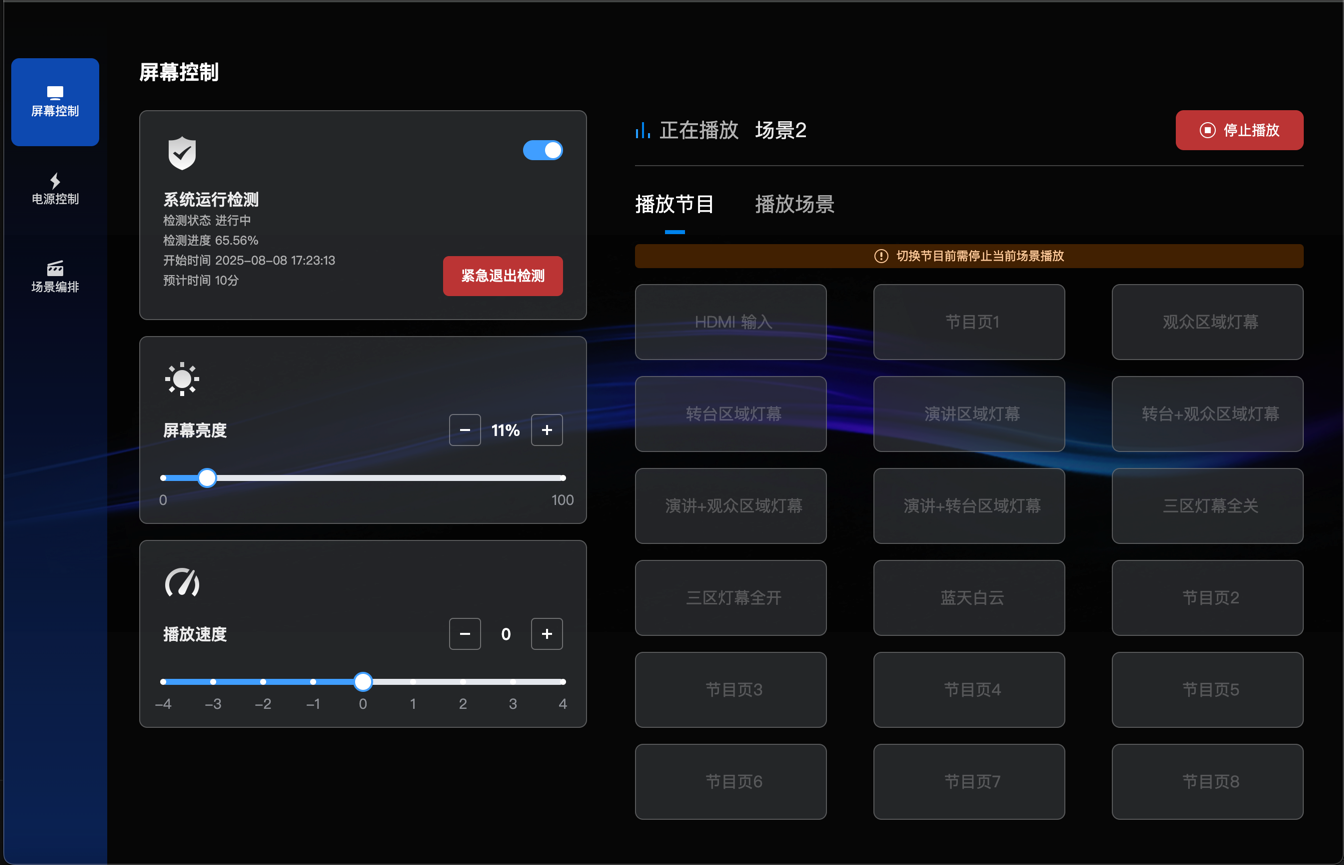
- Stop Playing Scenes or Programs
- Hide PLC Power Control
- Set to hide.
- The PLC power supply page is hidden.
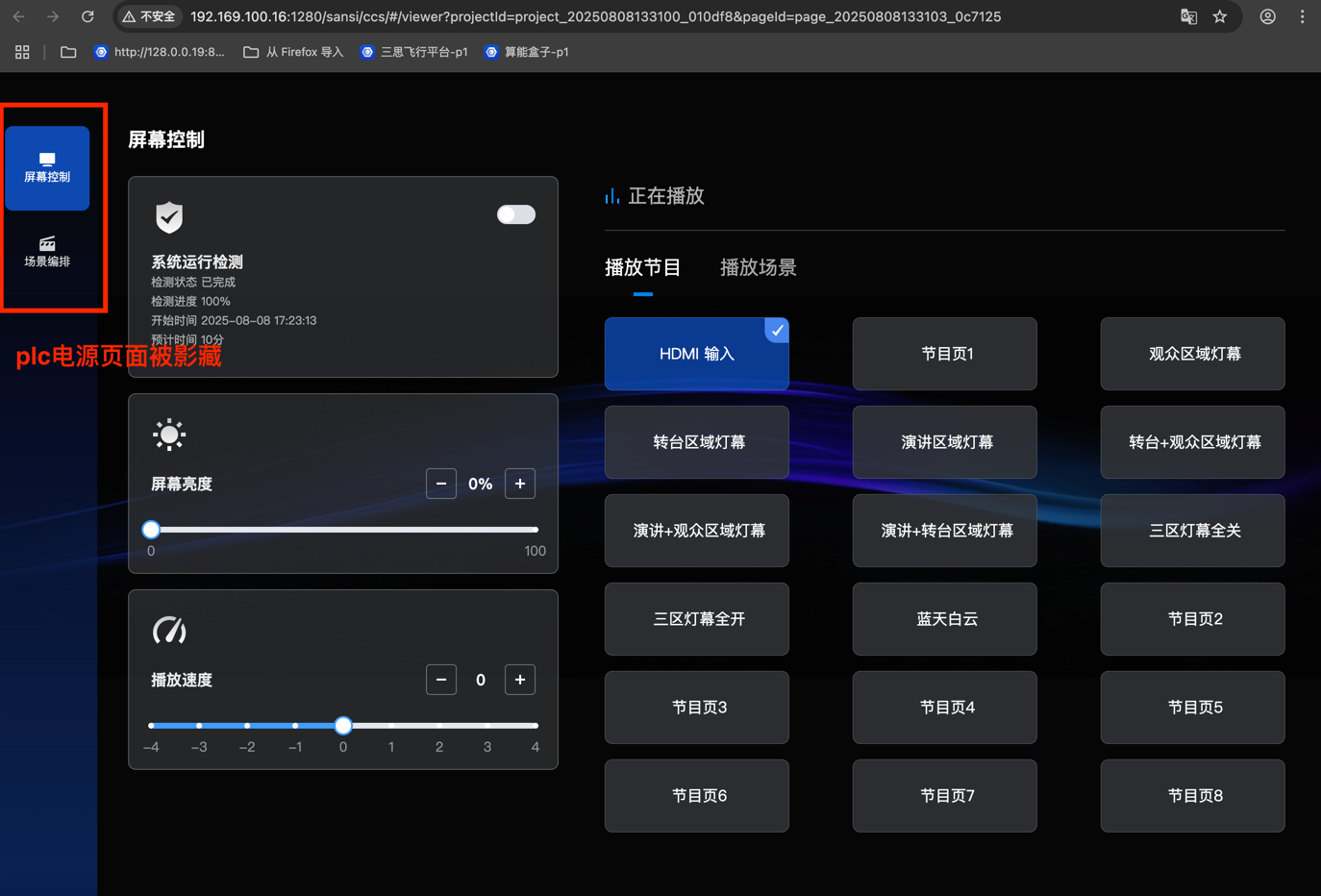
- Set to hide.
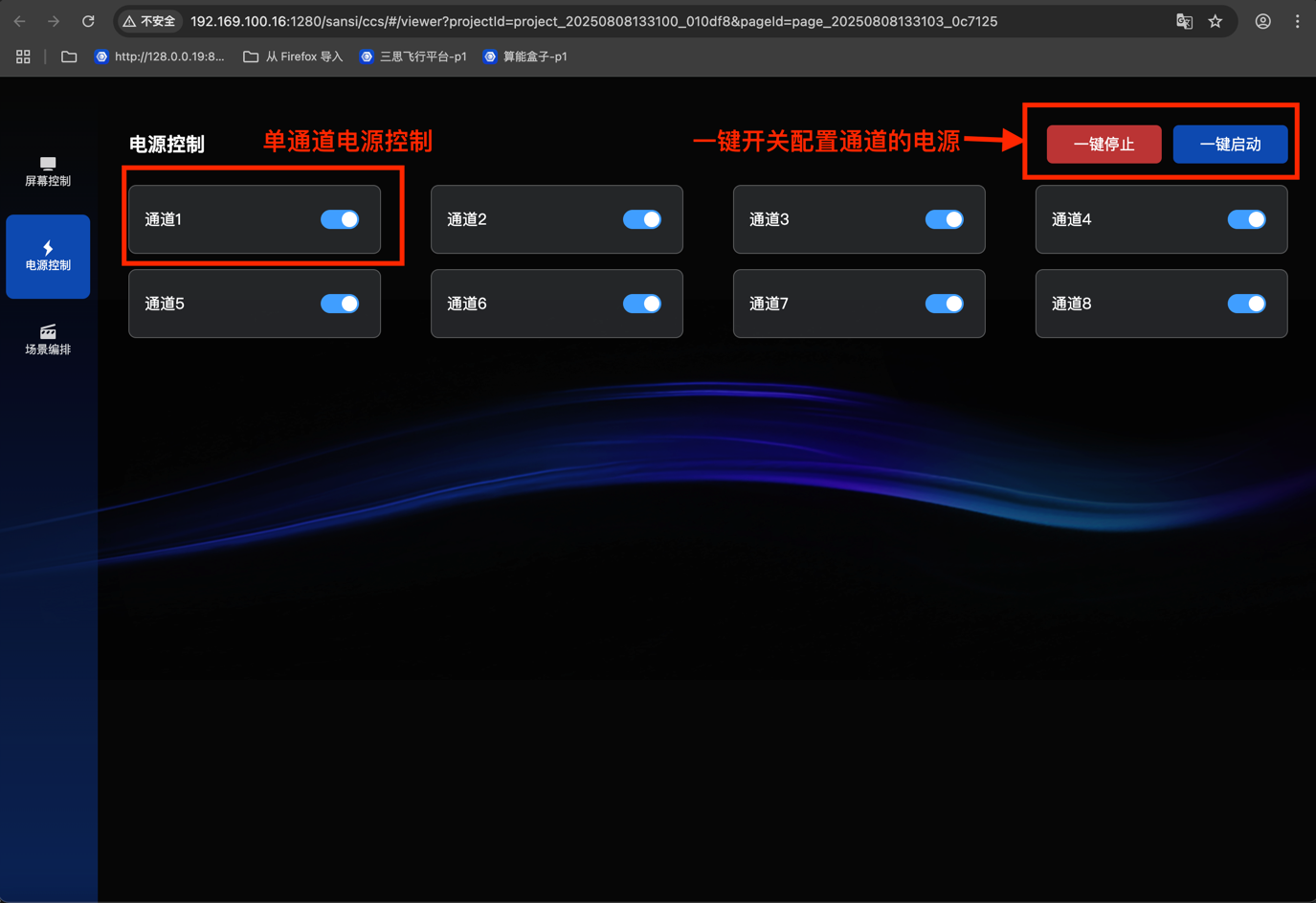
- Power Control
- Single-channel control
- One-click on/off control
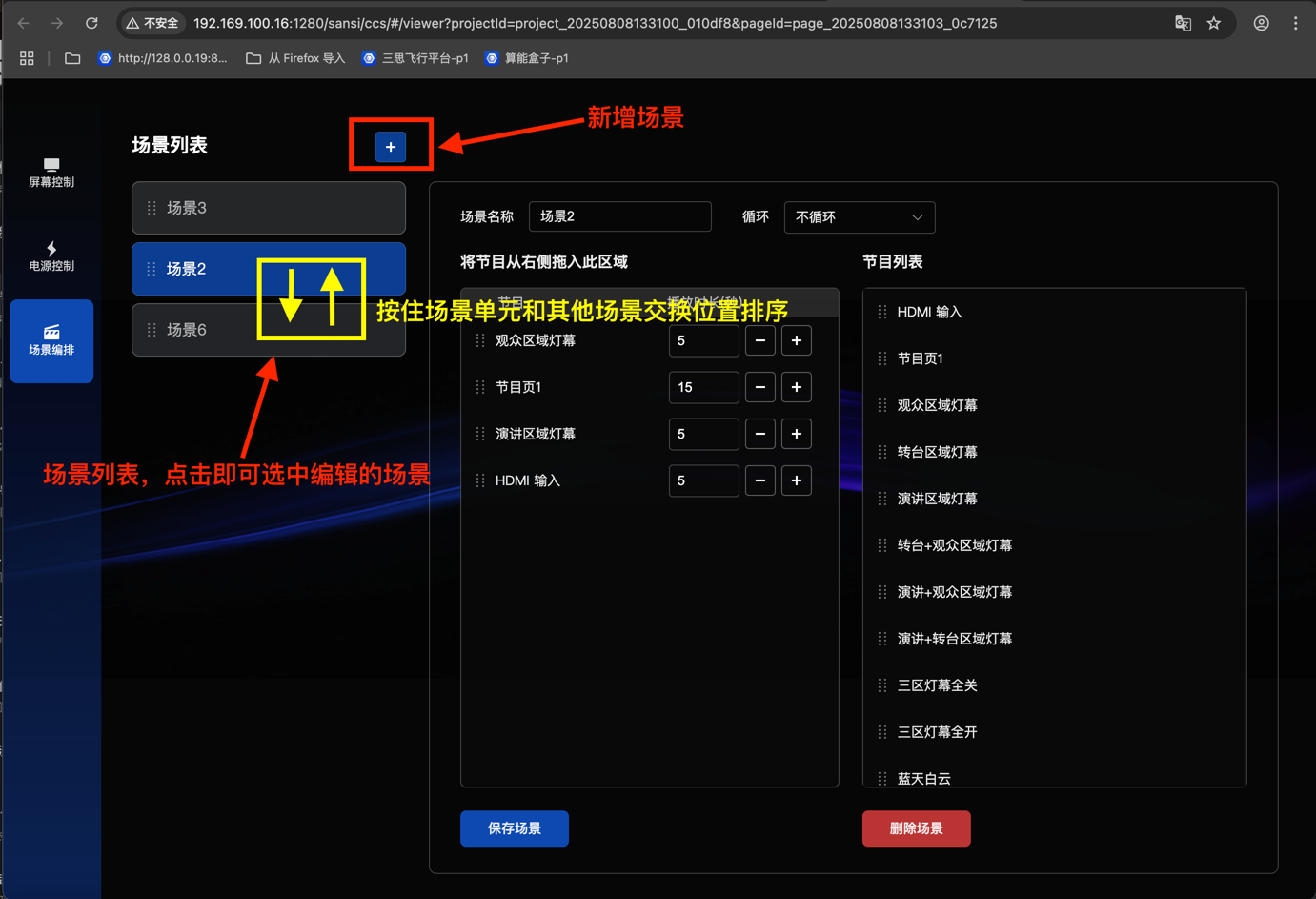
- Scene Control
- Scene sorting
- Scene addition
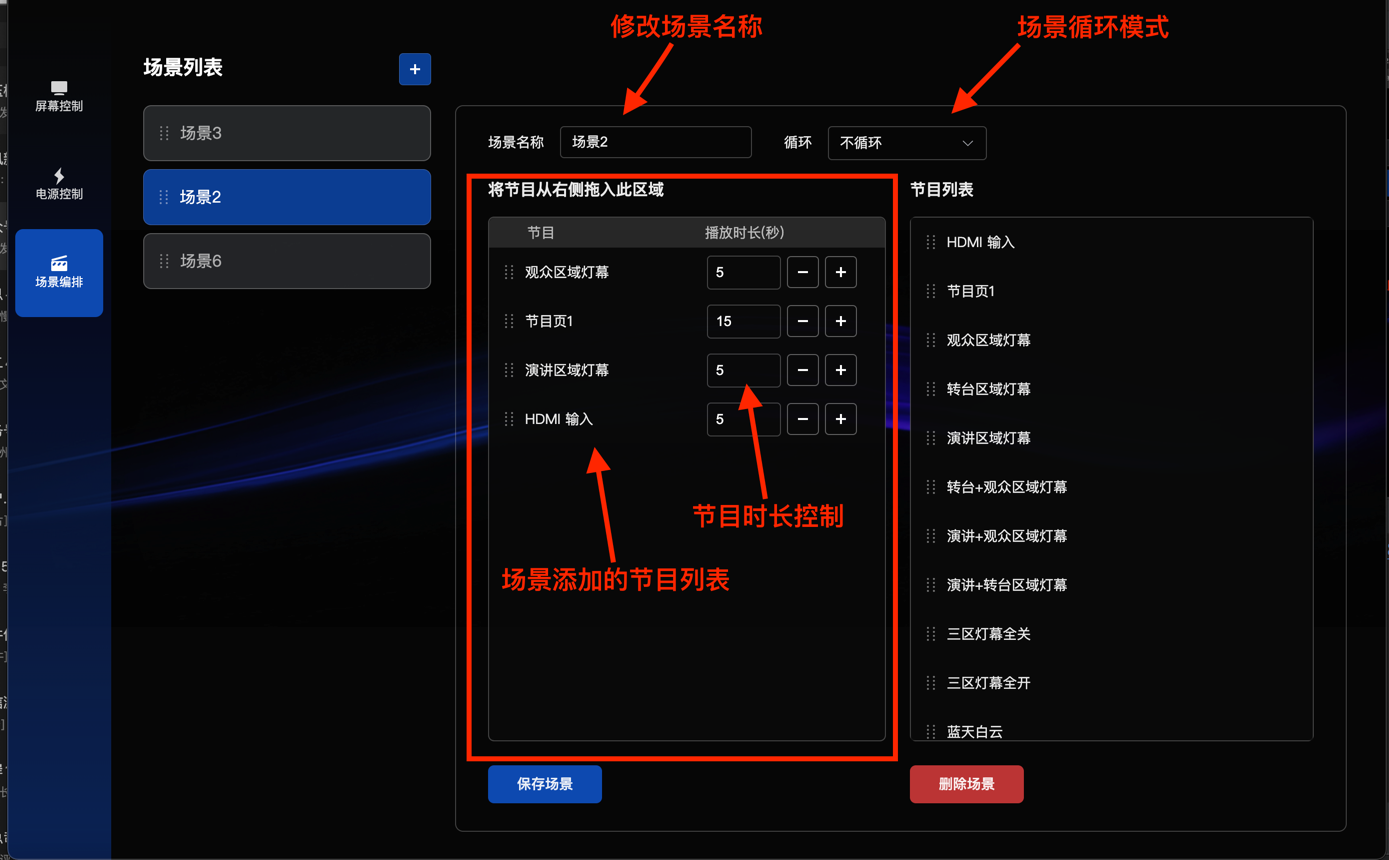
- Edit Scene Attribute Modification
- Program list
- Loop mode setting
- Scene name modification
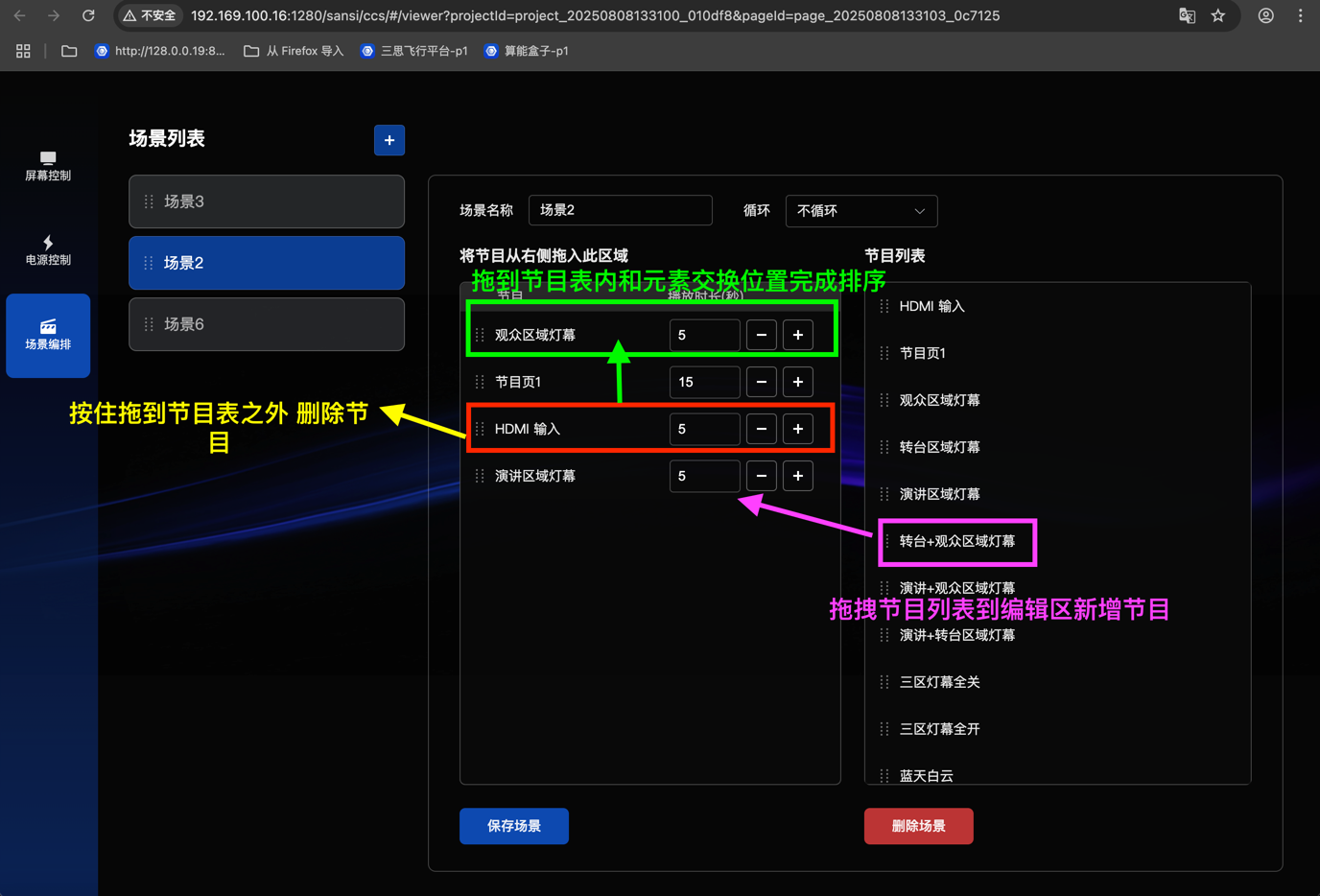
- Program List for Scene Editing
- Drag to add programs
- Drag programs to adjust the order
- Drag programs to delete them
- Save and Delete Scenes
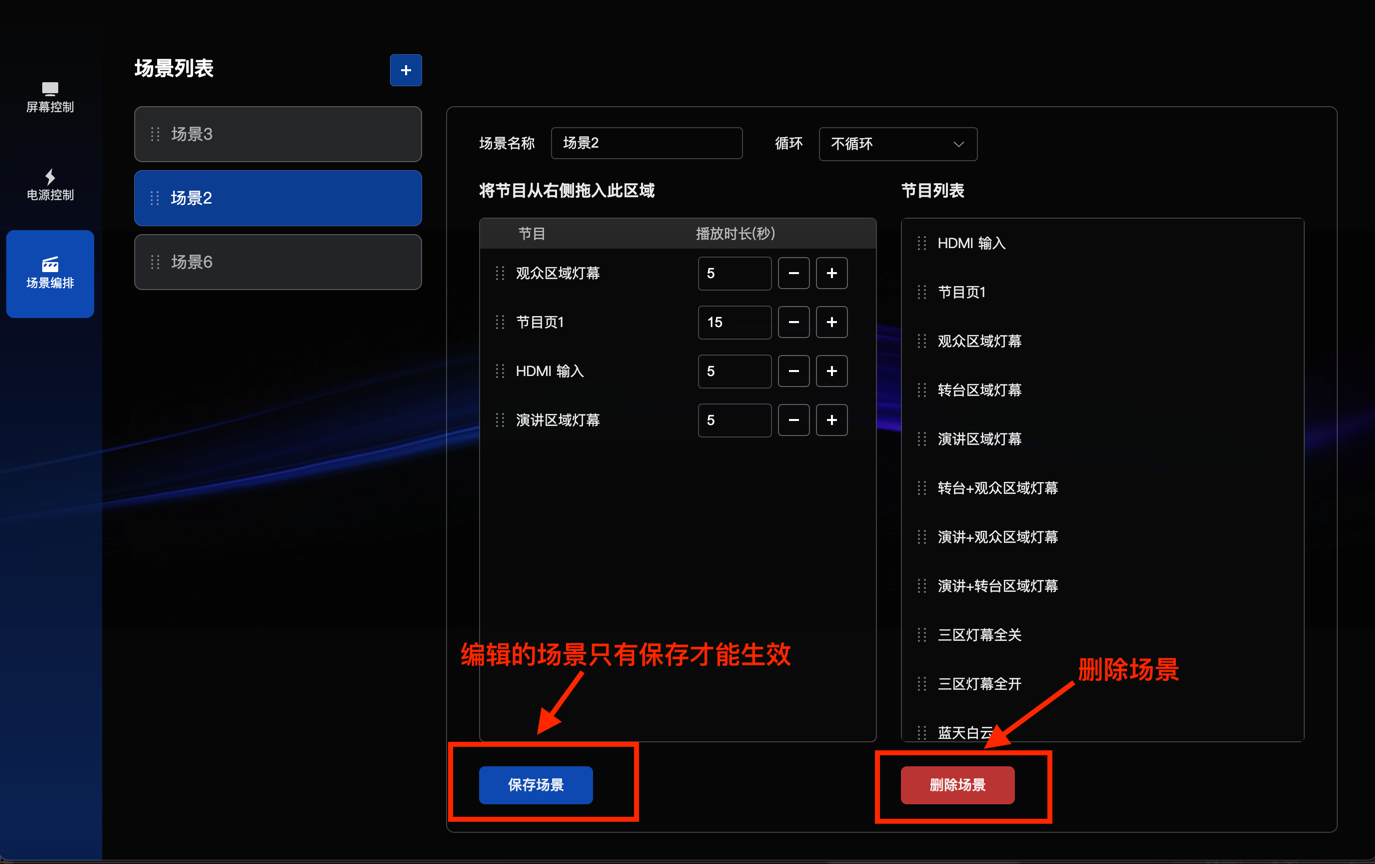
- Secondary confirmation for deleting a scene
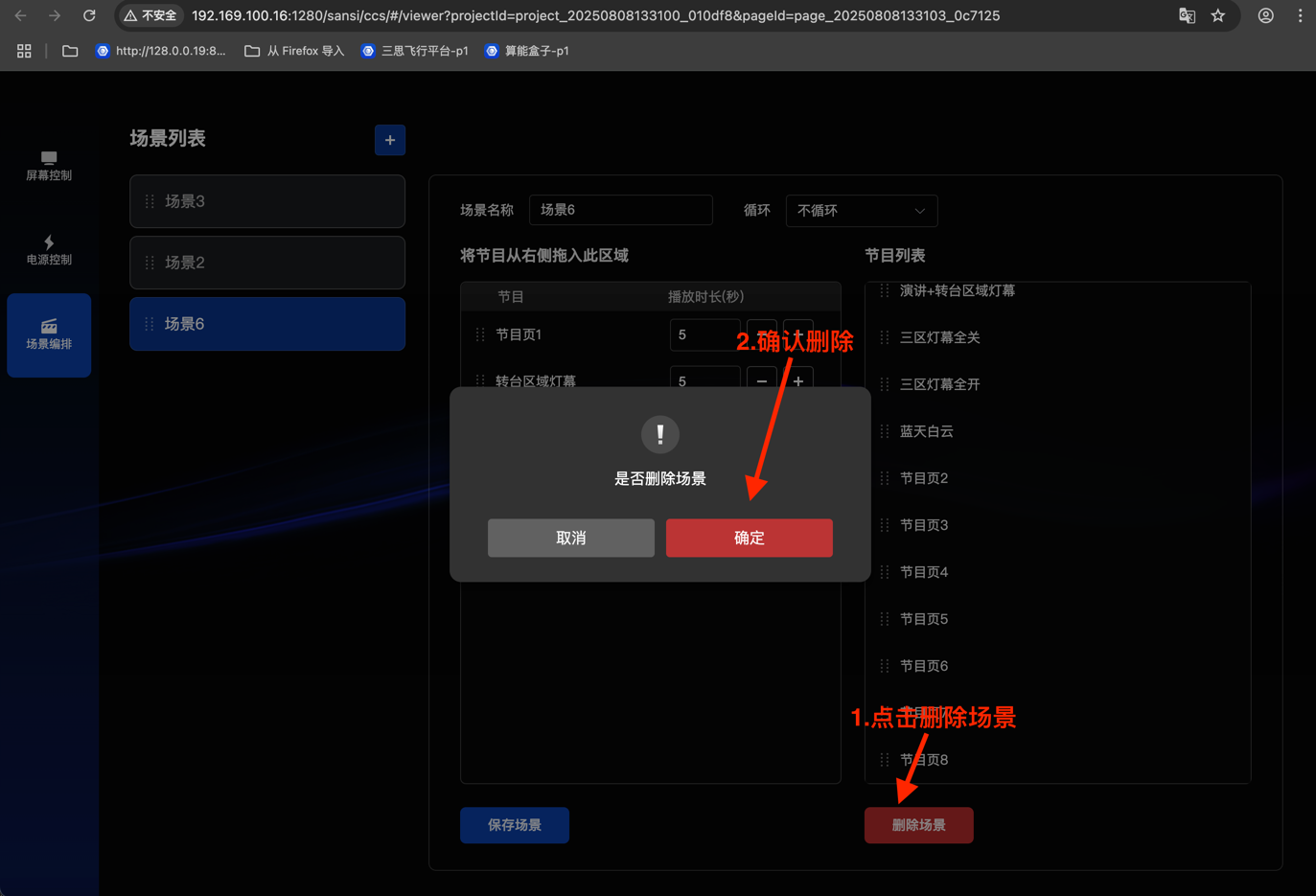
- Secondary confirmation for deleting a scene